Instant download · Edit in Canva · Print at home
Sale
Sale

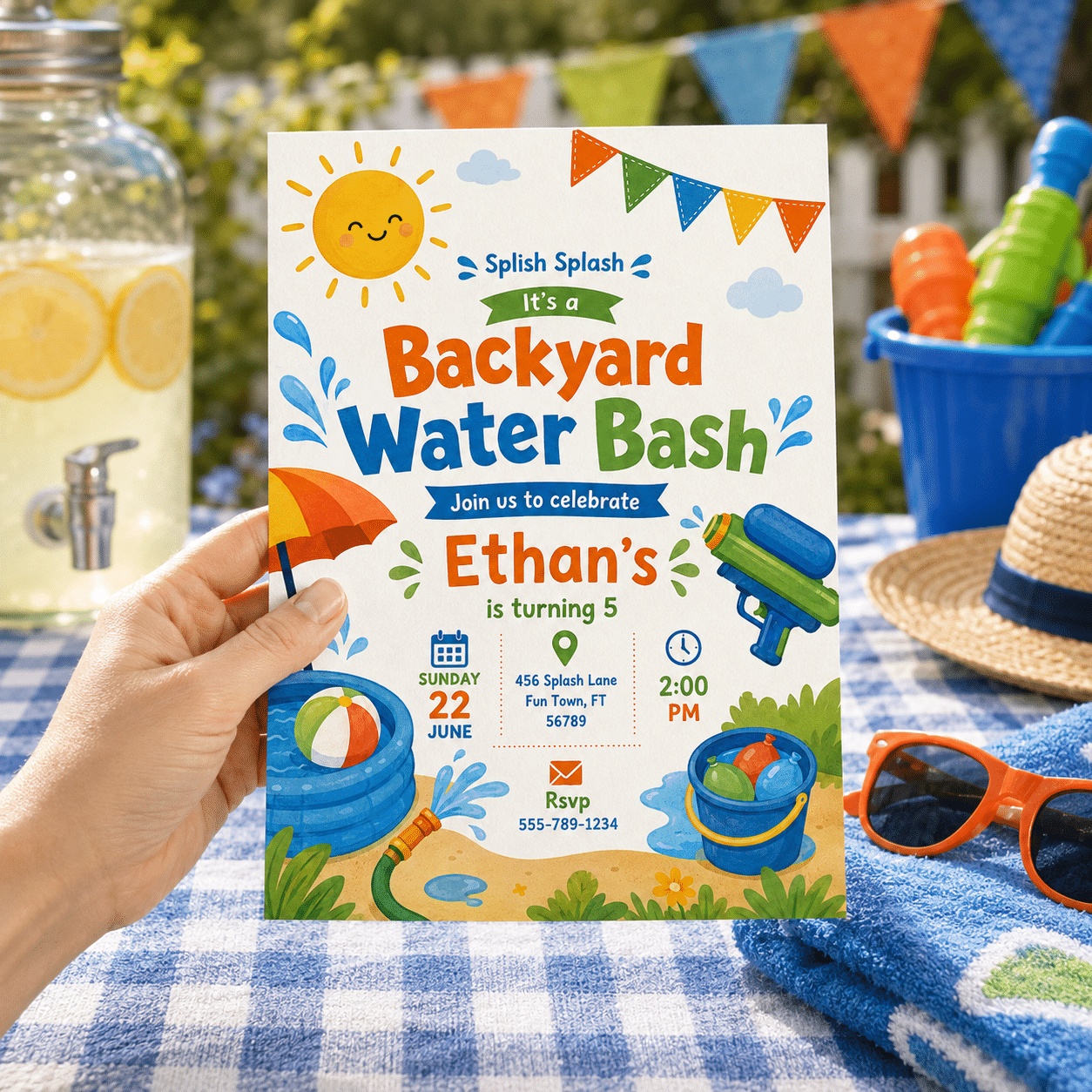
Backyard Water Bash Birthday Invitation | Summer Splash Invite

Price range: $3.99 through $5.99

  • Edit in Canva (Free Account): No premium subscription required! Edit 100% free in your browser or on the Canva app.

  • No Software to Install: Simply click the link after purchase to customize your design instantly online.

  • Fully Customizable: Easily update the name, age, date, time, and pool location to match your birthday bash.

  • Print or Go Digital: Download high-res PDFs for printing or JPEGs to send via text message and social media.

  • Secure checkout — payment details are handled by the payment provider
  • Your template is only shown to you and store administrators
  • Most orders are delivered within minutes of payment confirmation

Description

Beat the heat and slide into the fun with this completely editable Backyard Water Bash Birthday Invitation template!

If your child is celebrating a hot summer birthday, a backyard water slide, pool party, or neighborhood splash bash is the absolute best way to celebrate. This energetic digital invitation perfectly captures the season with bright turquoise water splashes, playful beach balls, and sun-kissed modern typography. It’s a fantastic, high-energy, gender-neutral design that sets a fun, active holiday mood for kids of all ages.

WHAT YOU CAN EDIT WITH A FREE CANVA ACCOUNT

  • 100% Editable Text: Change the name, age, date, time, location, and RSVP details.

  • Typography & Styling: Modify font styles, text sizes, and colors to match your style.

  • Layout flexibility: Move, scale, or delete text boxes as needed.

  • Note: Main graphics/dinosaur illustrations are locked in place to protect the exclusive artwork.

WHAT’S INCLUDED

  • Digital Invitation Template (Size: 5″ x 7″)

  • Direct access link to your Canva template

  • Straightforward instruction guide for quick editing and printing

HOW IT WORKS

  1. Purchase & Access: Place your order and instantly download your PDF access file.

  2. Open in Canva: Click the link inside the PDF to open your template in Canva (log in with your free account).

  3. Personalize: Edit your party details directly on your phone, tablet, or computer.

  4. Save & Share: Download your finished invite as a high-quality PDF for printing, or export as a JPEG to send via text and email!

  1. Choose your design — Pick an invitation from the shop and complete checkout.
  2. Open your Canva link — Your template link arrives by email and in your account.
  3. Make it yours — Edit the text, colors and photos, then download or print.

Digital product FAQ

What exactly do I receive?

After payment you receive a link to an editable Canva template, plus instructions. No physical item is shipped.

Do I need a Canva account?

Yes, a free Canva account is required to open and edit the template. Canva’s own terms and availability apply.

Can I print at home?

Yes. Download your finished design as a PDF for professional printing, or as a JPG/PNG for home printing or sharing.

Can I change the text and colors?

In most designs, yes. Editable elements are described in each product listing. Some illustrations or layout elements may be fixed.

What is your refund policy?

Because digital products are delivered instantly, refunds are limited. Please read our Digital Product Refund Policy before ordering.

Read the digital product refund policy

Additional information

Variations

Self-edit, We-edit