
Description
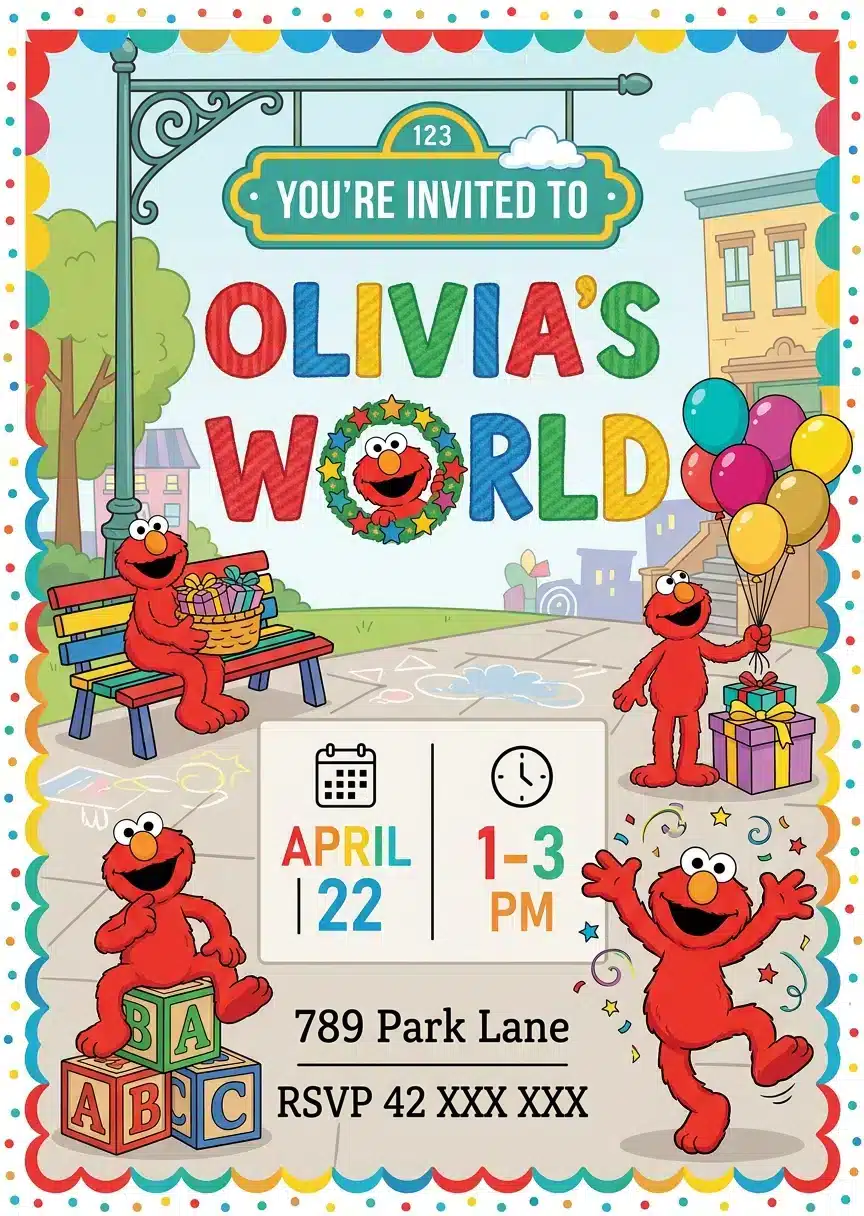
Give your guests an exciting first look at for a memorable birthday with this Elmo birthday invitation. First, the Sesame Street theme creates a cheerful invitation that matches the spirit of the celebration. Also, the design keeps the party message clear, so guests can quickly find the details they need. Next, customize the name, age, date, time, location, and RSVP information in Canva. Because Canva works on phones, tablets, and computers, you can personalize the invite wherever you plan the party. Plus, the 5 × 7 inch format makes the design easy to print or share digitally. Whether you are organizing a simple family gathering or a bigger birthday event, this template helps you prepare quickly. Finally, share the finished invitation and get your guests ready to celebrate. You control the wording and party details. You choose the final file format for your needs. Then, share the finished invitation with your guests.
NO SOFTWARE NEEDED & 100% FREE TO EDIT
You don’t need to download any complicated software, install fonts, or pay for expensive programs.
This invitation is fully editable directly in Canva. All you need is a
FREE Canva account to customize, save, and download your design in minutes!
Whether you’re throwing a “Dino-Mite” pool party, a backyard splash bash,
or a boys’ summer birthday party, this template makes it easy to create a professional-looking invitation on a budget.
WHAT YOU CAN EDIT WITH A FREE CANVA ACCOUNT
- 100% Editable Text: Change the name, age, date, time, location, and RSVP details.
- Typography & Styling: Modify font styles, text sizes, and colors to match your style.
- Layout Flexibility: Move, resize, or delete text boxes as needed.
- Note: The main graphics and dinosaur illustrations are locked to protect the exclusive artwork.
WHAT’S INCLUDED
- Digital Invitation Template (5" × 7")
- Direct access link to your Canva template
- Easy-to-follow instruction guide for quick editing and printing
HOW IT WORKS
- Purchase & Access: Complete your purchase and instantly download your PDF access file.
- Open in Canva: Click the link inside the PDF to open your template in Canva using your free account.
- Personalize: Edit your party details from your phone, tablet, or computer.
- Save & Share: Download your finished invitation as a high-quality PDF for printing, or as a JPEG to share via text message, email, or social media.