
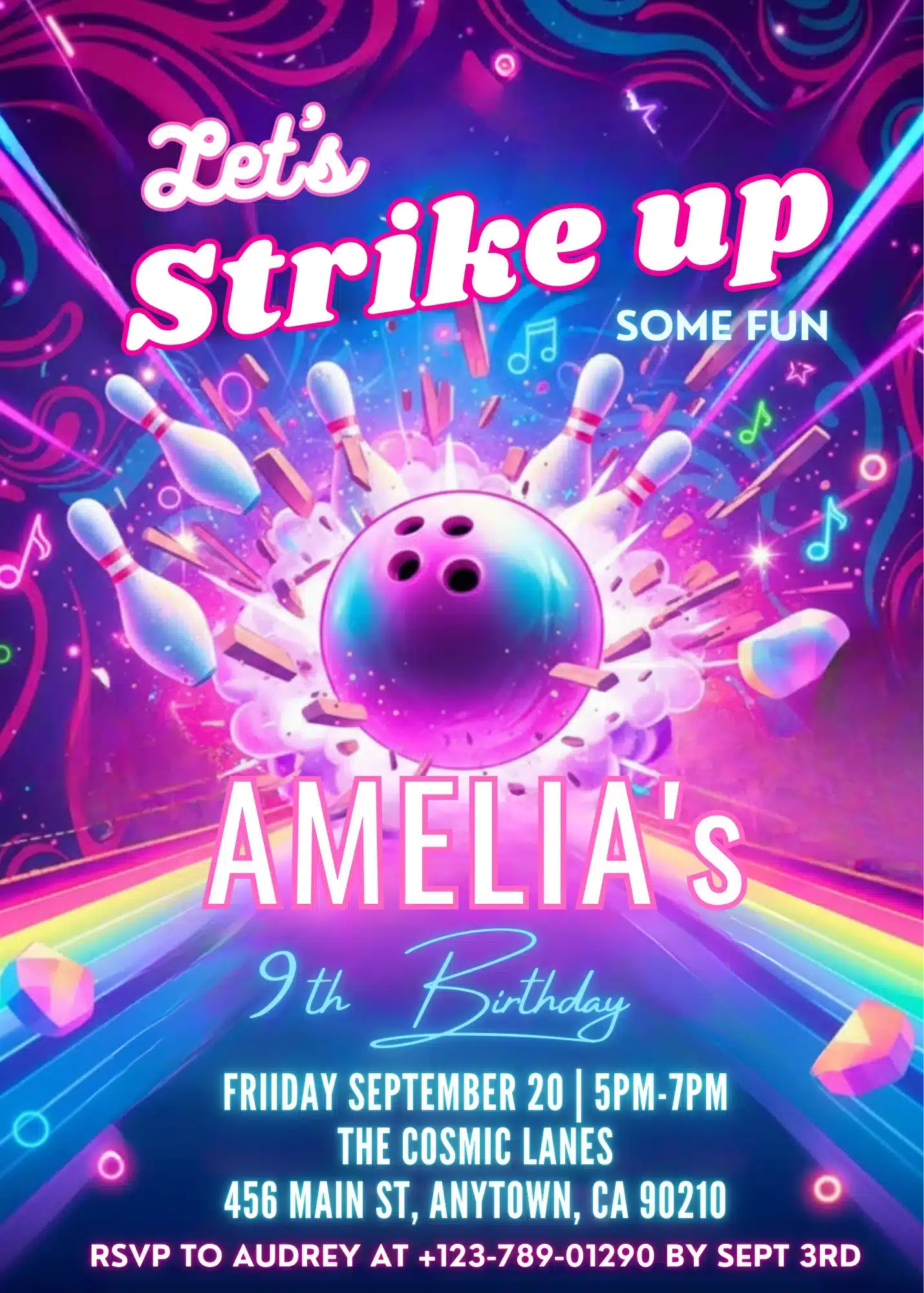
Description
Strike up some fun with this Pink Girls Bowling Birthday Invitation Template, an adorable design for a high-energy girls’ bowling party. Featuring a playful pink aesthetic and fun graphics, this template captures the excitement of a day at the bowling alley. Therefore, it sets the perfect tone for an unforgettable celebration.
NO SOFTWARE NEEDED & 100% FREE TO EDIT
You don’t need to download any complicated software, install fonts, or pay for expensive programs.
This invitation is fully editable directly in Canva. All you need is a FREE Canva account to customize, save, and download your design in minutes!
Whether you’re throwing a high-energy gaming party, a pixelated adventure birthday bash, or a retro video game-themed event, this template makes it easy to create a professional-looking invitation on a budget.
WHAT YOU CAN EDIT WITH A FREE CANVA ACCOUNT
- 100% Editable Text: Change the name, age, date, time, location, and RSVP details.
- Typography & Styling: Modify font styles, text sizes, and colors to match your style.
- Layout Flexibility: Move, resize, or delete text boxes as needed.
- Note: The main graphics and illustrations are locked to protect the exclusive artwork.
WHAT’S INCLUDED
- Digital Invitation Template (5" × 7")
- Direct access link to your Canva template
- Easy-to-follow instruction guide for quick editing and printing
HOW IT WORKS
- Purchase & Access: Complete your purchase and instantly download your PDF access file.
- Open in Canva: Click the link inside the PDF to open your template in Canva using your free account.
- Personalize: Edit your party details from your phone, tablet, or computer.
- Save & Share: Download your finished invitation as a high-quality PDF for printing, or as a JPEG to share via text message, email, or social media.